How Much Does It Cost to Replace a Business Phone System?
September 29, 2026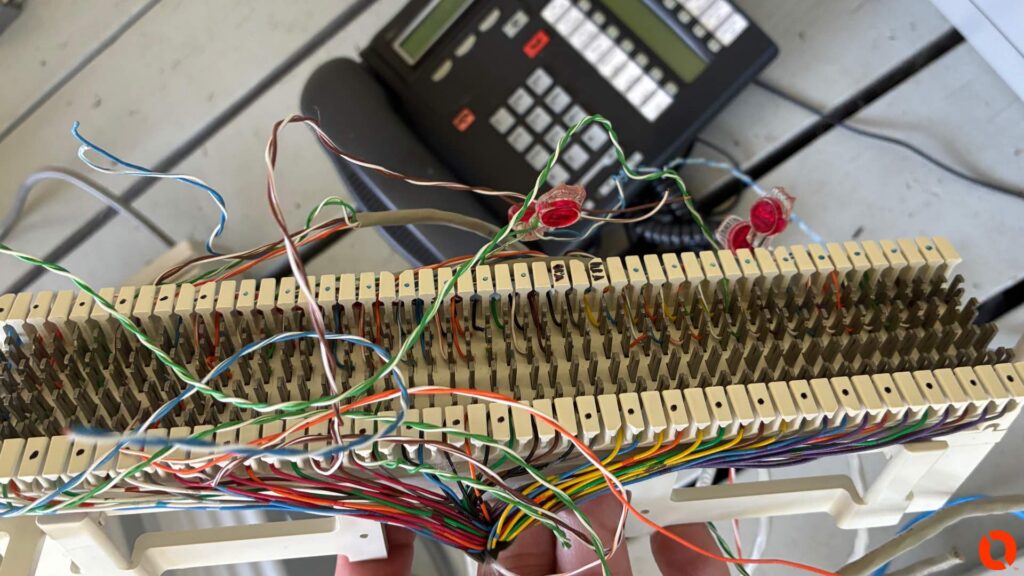
If you’ve had business phone trouble for any length of time, you’ve probably been stuck in this exact situation.
Calls are dropping. Maybe inbound calls are failing. Maybe customers say the main number rings forever. Maybe outbound calls have one-way audio. Maybe the phones suddenly show no service. You call the carrier and they tell you the circuit looks fine on their end.
Then you call whoever supports the phone system and they tell you the equipment looks fine too.
Now you’re in the middle.
The carrier says it’s the phone system. The phone vendor says it’s the carrier. Meanwhile, your employees are still trying to work and customers still can’t get through.
This is one of the most frustrating parts of business telecom, and it happens because there usually isn’t a clean line between “carrier problem” and “equipment problem.” There are several layers between the public telephone network and the handset on somebody’s desk, and a failure at any one of them can look almost identical from the user’s perspective.
The way out of the finger-pointing is to stop asking who is probably right and start isolating the fault.
That sounds simple, but it requires somebody who understands the entire path.
Start With the Call Path, Not the Blame
When a business phone call enters a building, it usually passes through more than one piece of technology before it reaches an employee.
Depending on the age and type of system, that path might include a copper line, PRI, SIP trunk, cable modem, fiber connection, carrier gateway, firewall, session border controller, PBX, network switch, cabling and finally the telephone itself.
Older systems might have analog trunks coming directly into a Nortel, Avaya, NEC, Panasonic or similar PBX.
Newer systems may have SIP service riding over the internet, with the phones registered to an onsite or cloud-based platform.
There are a lot of places for something to go wrong.
That’s why “the phones don’t work” is not enough information.
The first job is figuring out exactly where the problem begins.
The Symptom Usually Gives You a Clue
I pay a lot of attention to what is actually failing because different symptoms tend to point in different directions.
If every phone in the building suddenly loses outside calling at the same time, I’m going to think differently than I would if one extension stopped working.
If internal extension-to-extension calling still works but nobody can call outside, that tells me something.
If outbound calls work but inbound calls don’t, that tells me something else.
If calls connect but there’s no audio in one direction, that pushes the troubleshooting in another direction again.
You don’t need to be a telecom technician to notice these patterns. In fact, the more specific the business can be when calling for support, the faster the problem can usually be isolated.
Instead of saying, “The phones are down,” tell the technician exactly what is happening.
Can you call between extensions?
Can you call outbound?
Can people call in?
Does the main number fail while direct numbers still work?
Do calls fail immediately or after 30 seconds?
Is there one-way audio?
Did anything change before the problem started?
Those details are extremely useful.
Test the Carrier Side Independently When Possible
With traditional analog lines, one of the easiest ways to eliminate guesswork is to test the carrier service before it reaches the phone system.
If there is a proper demarcation point and the service can safely be tested there, connecting a known-good telephone directly to the line can tell you a lot.
If the line is dead at the carrier demarc, the PBX has nothing to do with it.
If the line works properly before it enters the PBX but fails once connected to the system, now the investigation moves toward the customer equipment, cabling or configuration.
That is a much better conversation with a carrier than:
“My phone vendor says it’s you.”
Instead, you can say:
“We tested the line at the demarcation point and there is no dial tone.”
Now you’ve isolated the fault.
With digital circuits and SIP trunks, the testing becomes more technical, but the principle is exactly the same. Find a point in the path where you can determine whether the service is working before it reaches the next piece of equipment.
PRI Problems Can Turn Into a Finger-Pointing Marathon
PRI circuits were extremely common with larger business phone systems and there are still plenty of them in service.
When a PRI starts acting up, things can get confusing quickly.
The carrier may see the circuit as up.
The PBX may see the PRI interface as active.
Yet calls are still failing.
Sometimes only certain channels are affected. Sometimes incoming calls fail while outgoing calls work. Sometimes the issue is intermittent enough that everything looks normal by the time someone checks it.
This is where logs, alarms and actual call testing matter.
A technician familiar with both the PBX and carrier interface can usually gather information that helps narrow the problem down considerably.
Instead of telling the carrier, “The phones are messed up,” you can provide specific information about alarms, failed calls, channel behavior or timing.
That makes escalation much easier.
SIP Trunks Added a New Layer of Complexity
Modern VoIP solved a lot of problems, but it also introduced some new ones.
If your business uses SIP trunks or a cloud-hosted phone platform, your phone service may depend on your internet connection, firewall, DNS, network configuration and the carrier’s platform all working together.
A call can fail even when the internet appears to be working normally.
Web browsing might be fine.
Email works.
Everyone can access cloud applications.
But voice traffic can still have a problem.
That might be caused by packet loss, jitter, firewall behavior, SIP ALG, NAT issues, registration failures, DNS problems, carrier routing or something upstream from the building.
That’s why I’m cautious when someone says, “The internet is working, so it can’t be the network.”
It absolutely can.
Voice behaves differently from ordinary web traffic, and small network problems that employees barely notice while browsing can make a phone call unusable.
One-Way Audio Is a Great Example
One-way audio is one of those problems that can send everybody in circles.
The call connects, but only one person can hear the other.
The customer may hear you, but you can’t hear them. Or the other way around.
From the employee’s perspective, the phone system is broken.
But the actual problem may have nothing to do with the telephone itself.
One-way audio is frequently related to network routing, NAT, firewall rules or how RTP audio traffic is being handled.
That doesn’t automatically mean the firewall is bad or the carrier is bad. It means the signaling portion of the call succeeded, but the audio path did not work correctly in both directions.
The symptom itself helps narrow the investigation.
“The Circuit Tests Good” Doesn’t Always Mean the Problem Isn’t the Carrier
This one is important.
A carrier can test a service and legitimately see that the circuit is currently up.
That doesn’t prove there hasn’t been an intermittent carrier problem.
Telecom issues have an annoying habit of disappearing exactly when someone starts testing them.
A circuit can bounce.
There can be intermittent errors.
A carrier route can fail only to certain destinations.
Incoming traffic can be affected while outgoing calls remain normal.
There can be regional routing problems upstream that have nothing to do with your local equipment.
This is where timestamps become incredibly valuable.
If someone tells me:
“Calls were bad earlier,”
there’s not much to work with.
If they tell me:
“At 10:14 a.m. we called 219-555-XXXX from extension 204 and the call connected with no audio. At 10:19 the same thing happened again,”
now there is something concrete to investigate.
Carriers can often search records around specific calls and timestamps.
Documentation turns a vague complaint into a technical incident.
The Phone System Can Also Look Healthy While Still Being the Problem
The opposite is true too.
A PBX might be powered up.
The phones may still have dial tone.
No obvious alarms are showing.
That doesn’t mean the system is functioning properly.
I’ve seen issues caused by failed trunk cards, corrupt programming, voicemail components, power supplies, gateways, network interfaces and other components where the system was far from completely dead.
Legacy phone systems can be especially interesting because they may continue limping along after a component starts failing.
The system technically works, but not correctly.
That’s why it helps to have somebody who understands the specific platform instead of only checking whether the cabinet has power.
Don’t Forget the Wiring Between Everything
Sometimes both sides are right.
The carrier service is working.
The phone equipment is working.
The problem is the cabling between them.
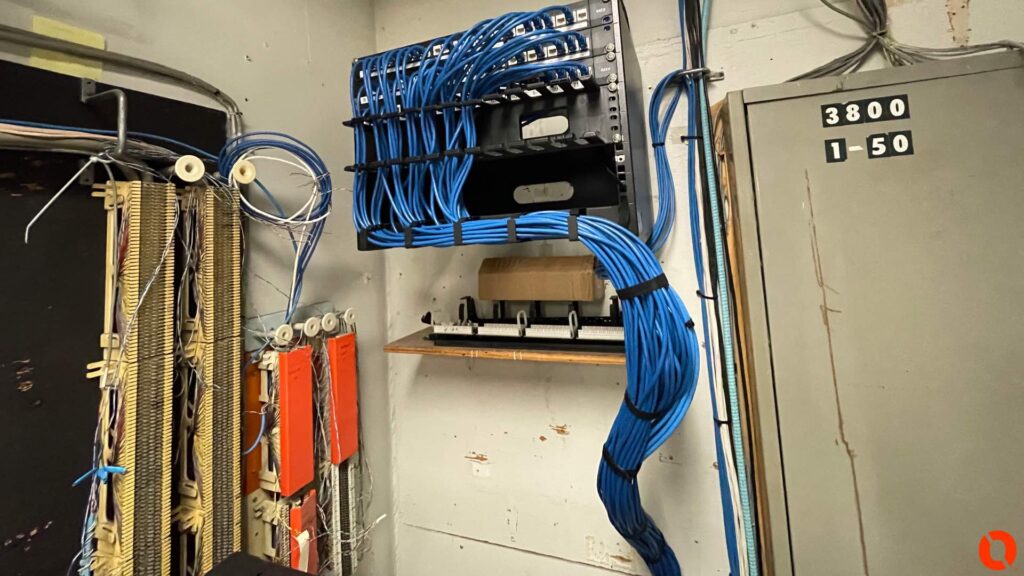
This is especially common in older buildings where telecom wiring has been modified repeatedly over the years.
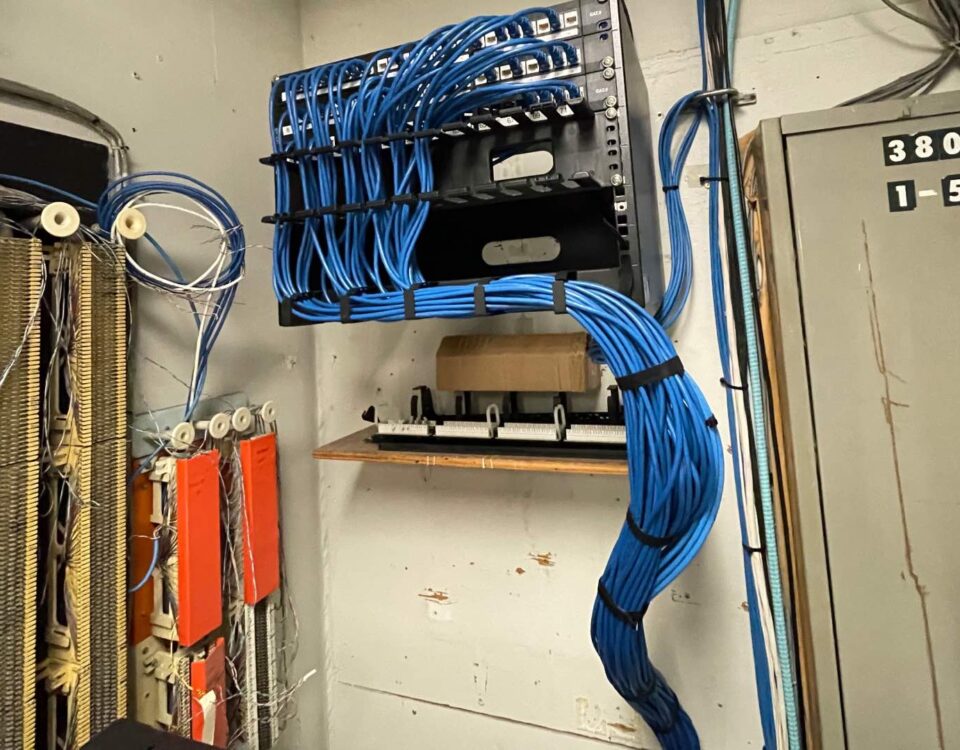
There may be cross-connect blocks, punch-downs, old splice points, protectors, extension wiring, patch cables and miscellaneous connections between the carrier demarcation and the phone equipment.
A loose pair or corroded connection can create intermittent problems that look exactly like a carrier failure.
The carrier tests clean up to its demarc.
The PBX works when connected properly.
The trouble is in the middle.
This is one reason I like physically tracing telecom problems instead of assuming they are software-related.
Sometimes the answer is still a bad piece of wire.
Changes Matter More Than People Think
Whenever a problem appears suddenly, I want to know what changed.
New internet service?
New firewall?
Carrier migration?
Power outage?
Network switch replacement?
Office remodel?
Someone moved the PBX?
New SIP provider?
Firmware update?
Did an employee move desks?
Did somebody unplug something while cleaning the telecom room?
Not every change is related, but timing is often useful.
A lot of telecom troubleshooting becomes much faster when you stop looking at the entire system and focus on what was different immediately before the failure.
Carrier Tickets Need Better Information
When you open a carrier trouble ticket, give them as much useful information as possible.
The business name and service address are obvious, but also provide the affected telephone numbers, whether the problem is inbound or outbound, the exact time of failed calls, numbers that were dialed, any error messages and whether the issue is constant or intermittent.
If you’ve already tested at a demarcation point, tell them.
If multiple locations are affected, tell them.
If only calls to a specific carrier or area code are failing, that matters too.
The goal isn’t to prove the carrier wrong.
The goal is to give their technician enough information to find the problem.
The same thing applies when calling the phone vendor.
“Phones aren’t working” is difficult to troubleshoot remotely.
“Internal calls work, outbound calls work, but all inbound calls to the main number receive a busy signal” is much more useful.
Somebody Needs to Own the Problem
This is where businesses really get stuck.
They have an internet company.
A voice carrier.
An IT provider.
A phone vendor.
Maybe a separate cabling company.
Everybody owns one little piece.
The business owner doesn’t care which piece is broken. They just want the phones working.
Somebody needs to stay with the problem long enough to isolate it and coordinate the other vendors.
That doesn’t necessarily mean one company has to provide every service.
It means somebody technical needs to be willing to say:
“I tested our side. Here is what we found. Here is the evidence. Here is where the failure appears to be. Now let’s work with the next provider.”
That’s very different from simply closing the ticket with, “Not our problem.”
A Good Telecom Technician Should Be Comfortable Calling the Carrier
I’ve spent enough time around phone systems to know that sometimes fixing the customer’s problem means sitting on the phone with another provider.
That’s part of the job.
If I’ve tested the customer’s equipment and I believe the issue is upstream, I want to be able to explain exactly why.
And if the carrier proves the service is working correctly, that’s useful too.
Now I know to move back toward the PBX, network or onsite infrastructure.
There shouldn’t be any pride involved.
The objective is to find the failure.
I’d much rather be proven wrong quickly than spend six hours troubleshooting the wrong end of the circuit.
What Should You Do When You’re Stuck in the Middle?
Start collecting facts.
Write down exactly what is happening.
Test internal calling.
Test inbound and outbound calls separately.
Try more than one external number.
Record timestamps of failures.
If the issue is intermittent, keep a simple log.
Check whether anything recently changed.
Make sure the telecom and network equipment has power.
Do not start rebooting everything randomly unless you understand what you’re rebooting and what impact it could have.
Then bring in somebody who can troubleshoot across the boundaries.
Sometimes the answer will be the carrier.
Sometimes it’ll be the PBX.
Sometimes it’ll be the network.
Sometimes it’ll be a single bad cable that’s been hiding behind a punch block for twelve years.
The key is proving it.
This Is Also Why Documentation Matters Before There Is a Problem
When I look at an older telecom installation, I like knowing where the carrier enters the building, where the demarcation is, what services are active, where the trunks connect to the system and how the network is laid out.
That information becomes incredibly valuable during an outage.
Unfortunately, a lot of businesses don’t have it.
They may have changed carriers three times and phone vendors twice. Nobody cleaned up the old cabling. Half of the labels no longer mean anything.
Then when there’s a problem, everyone is troubleshooting blind.
A little documentation while things are working can save hours when they aren’t.
Don’t Let the Finger-Pointing Become the Troubleshooting Process
The carrier might be right.
The phone vendor might be right.
They might both be right.
They might both be wrong.
None of that matters until somebody isolates the fault.
That’s what good telecom troubleshooting really comes down to.
Start at one end of the call path, work through the system methodically and prove each section.
Once you know where the signal stops behaving correctly, the argument usually disappears.
Business Phone System Troubleshooting in Northern Indiana, Chicago and Southwest Michigan
Kommvia works with businesses throughout Northern Indiana, Northwest Indiana, the Chicago area and Southwest Michigan on business phone systems, VoIP, legacy PBX equipment, carrier issues, structured cabling, network infrastructure and phone system replacements.
If your carrier is blaming the phone equipment and your phone vendor is blaming the carrier, we can step into the middle and help isolate the problem.
That may mean testing the existing phone system, checking trunks, looking at SIP service, verifying the network, tracing cabling or working directly with the carrier to get the issue escalated.
Sometimes the fix is complicated. Sometimes it is surprisingly simple.
Either way, the goal is the same: stop guessing and find where the problem actually is.
If your business is stuck between the carrier and the phone vendor and nobody is taking ownership of the issue, contact Kommvia. We’ll start at the beginning and work the problem until we know where it lives.