Unitel Voice Review: Is It a Good Business Phone System?
August 8, 2026
We Don’t Hate Old Phone Systems
August 14, 2026
Why slow business Wi-Fi often starts in the cable, switch, or telecom room
“The Wi-Fi is terrible.”
We hear some version of that all the time.
Calls drop when someone walks into the warehouse. Laptops randomly disconnect. The conference room works fine until ten people show up. Employees stand underneath an access point and somehow still have a bad connection.
So the obvious answer seems simple:
We need better Wi-Fi.
Maybe.
But before you start buying new access points, there’s something worth knowing:
Your Wi-Fi problem might not actually be a Wi-Fi problem.
At Kommvia, we look beyond the signal bars.
Because an access point is only one piece of a much larger system.
Everyone Blames the Access Point
Wi-Fi is easy to blame because it’s the part people can see.
Your laptop says the connection is weak.
Your phone shows two bars.
A speed test is crawling.
Naturally, everyone starts looking at the access point hanging from the ceiling.
But that access point depends on everything behind it.
Follow the connection backward and you may find:
Access Point → Ethernet Cable → Patch Panel → Network Switch → Router/Firewall → Internet Connection
A problem anywhere in that chain can look like bad Wi-Fi to the person holding the laptop.
Replacing the access point won’t fix a damaged cable.
It won’t fix an overloaded switch.
It won’t fix insufficient PoE.
And it definitely won’t fix an internet circuit that’s already saturated.
1. Start With the Cable
That sleek wireless access point on the ceiling isn’t very wireless.
There’s usually an Ethernet cable plugged into the back of it.
And that cable matters.
A poorly terminated jack, damaged cable, questionable patch cord, excessive cable length, or old cabling can create performance problems that employees experience as “bad Wi-Fi.”
This is why structured cabling isn’t separate from your wireless network.
It’s the foundation underneath it.
You can install expensive enterprise access points throughout a building, but if the infrastructure connecting them back to the network isn’t right, you’re building a high-performance wireless network on top of a weak foundation.
2. Check the Switch
Follow that access point’s cable far enough and you’ll probably end up in a telecom room.
That’s where things get interesting.
The access point may be connected to a network switch that’s been running quietly for years.
Maybe it’s overloaded.
Maybe a port is negotiating incorrectly.
Maybe the switch doesn’t provide the PoE requirements of the newer access point.
Maybe the network grew from 20 devices to 200 devices while the infrastructure behind it barely changed.
Businesses constantly add technology:
Phones.
Cameras.
Printers.
Laptops.
Tablets.
TVs.
Access control.
IoT devices.
VoIP phones.
Wireless devices.
And more access points.
The network underneath all of it needs to grow too.
3. One Access Point Cannot Perform Miracles
Then there are buildings where the problem really is Wi-Fi.
We sometimes expect a small plastic box mounted to the ceiling to overcome physics.
It can’t.
Concrete walls matter.
Steel matters.
Machinery matters.
Warehouse racking matters.
Building size matters.
Ceiling height matters.
Interference matters.
And the number of connected devices definitely matters.
An access point that works beautifully in a small office may be completely wrong for a large warehouse, manufacturing environment, or crowded commercial facility.
This is especially important in industrial buildings.
A warehouse isn’t just a really big office.
Metal racks, inventory, machinery, equipment, high ceilings, moving forklifts, and the physical construction of the facility can all affect wireless coverage.
Simply adding another access point wherever it’s easiest to run a cable isn’t necessarily the answer.
4. Full Bars Don’t Mean Fast Wi-Fi
Here’s another misconception:
Full Wi-Fi bars do not guarantee a good network connection.
Those bars primarily tell you about the connection between your device and the access point.
Imagine standing next to an access point with an excellent wireless signal.
Your laptop might show full bars.
But behind that access point could be a bad Ethernet connection, network congestion, an overloaded internet circuit, or another infrastructure problem.
You can have an excellent connection to a poorly performing network.
That’s why troubleshooting based solely on the Wi-Fi icon can send you in the wrong direction.
5. Stop Putting Access Points Wherever They’re Convenient
This one can be uncomfortable.
Access points are often installed where it’s easiest to put them.
There’s already a cable nearby.
There’s an accessible ceiling tile.
There’s power or network infrastructure close by.
It looks good there.
So that’s where the AP goes.
But the easiest installation location isn’t necessarily the best wireless location.
Access points should be installed based on where wireless coverage and capacity are actually needed.
A conference room packed with laptops may have different requirements than a hallway.
A warehouse may have different requirements than the accounting office.
A loading dock may have different requirements than the break room.
Wi-Fi should be designed around how the building is used, not just where it’s easiest to hang equipment.
6. Sometimes You Have Too Many Access Points
Here’s where things get even more interesting.
Weak Wi-Fi doesn’t always mean you need more access points.
Sometimes there are already too many.
Wireless networks need planning.
Adding access points without considering channel usage, transmit power, interference, coverage overlap, and client behavior can create new problems instead of solving existing ones.
More equipment isn’t automatically more performance.
It’s possible to spend thousands of dollars “upgrading the Wi-Fi” and end up with a network that’s still frustrating employees.
That’s why diagnosis should come before equipment.
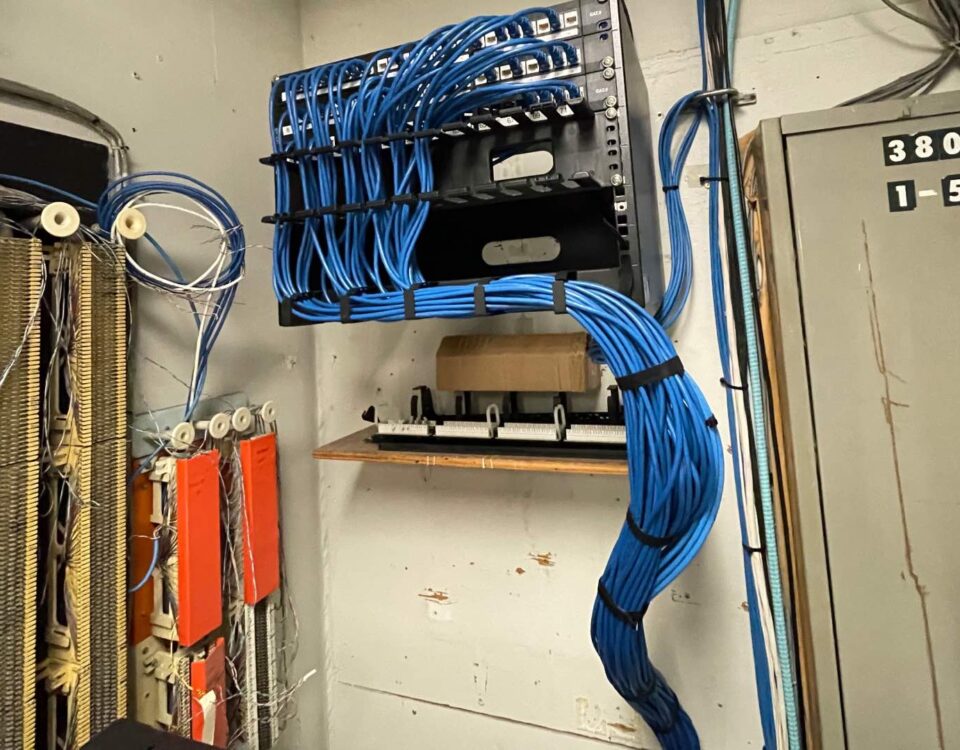
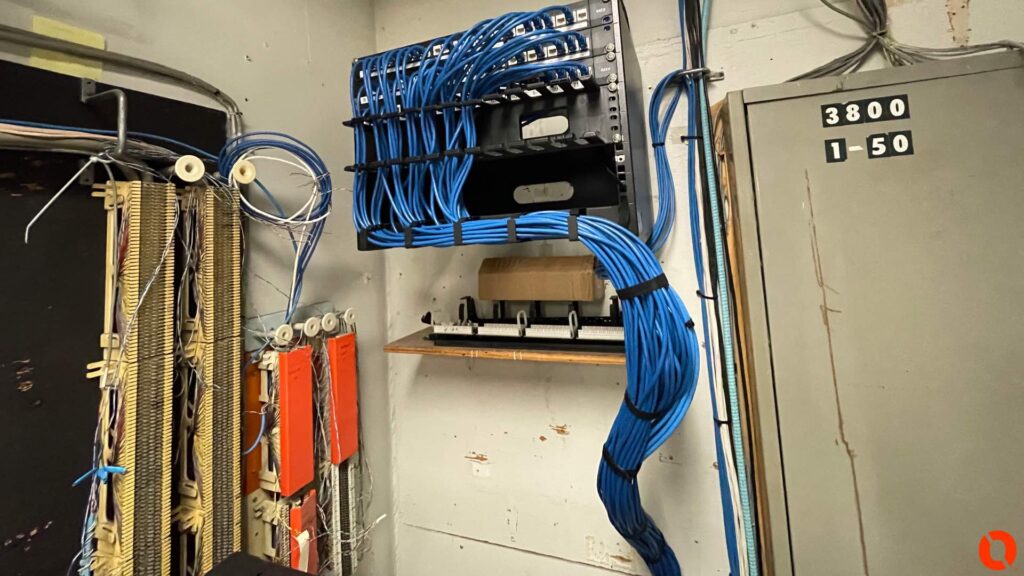
7. The Telecom Room Usually Tells a Story
When we’re troubleshooting a network, one of the places we’re most interested in isn’t the conference room.
It’s the telecom room.
Open the door and you can often learn a lot about the history of the building.
Old patch panels.
New switches.
Abandoned cables.
Unlabeled connections.
Patch cords running everywhere.
Equipment installed by several different companies over many years.
Maybe nobody knows which cable feeds which access point.
This isn’t unusual.
Business networks evolve.
A company starts with ten employees.
Then there are twenty.
Then fifty.
Someone adds another switch.
Someone installs cameras.
Someone else adds VoIP phones.
Another contractor installs access points.
Years later, the network has become a collection of technologies from different generations.
Then one morning someone says:
“Why is the Wi-Fi so slow?”
The answer might be hanging from the ceiling.
Or it might be buried underneath twenty years of infrastructure.
Don’t Start by Buying More Equipment
This is the biggest takeaway.
When business Wi-Fi performs poorly, don’t immediately assume you need new access points.
First, figure out what’s actually happening.
Look at the wireless environment.
Look at coverage.
Look at capacity.
Look at the cabling.
Look at the switches.
Look at PoE.
Look at the network.
Look at the internet connection.
And look at how employees actually use the building.
Diagnose first. Buy second.
Sometimes the answer will absolutely be new access points.
Sometimes you’ll discover that the access points were never the problem.
Wi-Fi Is Wireless. The Network Behind It Isn’t.
That’s the part businesses often forget.
Modern workplaces are becoming increasingly wireless, but those wireless connections still depend on physical infrastructure.
Behind the ceiling-mounted access point is a cable.
Behind the cable is a switch.
Behind the switch is a network.
And all of it has to work together.
At Kommvia Inc., we help businesses troubleshoot and build the infrastructure behind their communications systems, including business Wi-Fi, access points, structured cabling, network infrastructure, and business phone systems.
So the next time someone in your building says:
“The Wi-Fi sucks.”
Don’t immediately blame the access point.
Follow the cable.
You might be surprised where it leads.
Kommvia Inc.
Business Phone Systems | Structured Cabling | Wi-Fi & Network Infrastructure
Serving businesses throughout Indiana and the Chicago area.
1-844-KOMMVIA
COMMAND THE SIGNAL™
Need help?