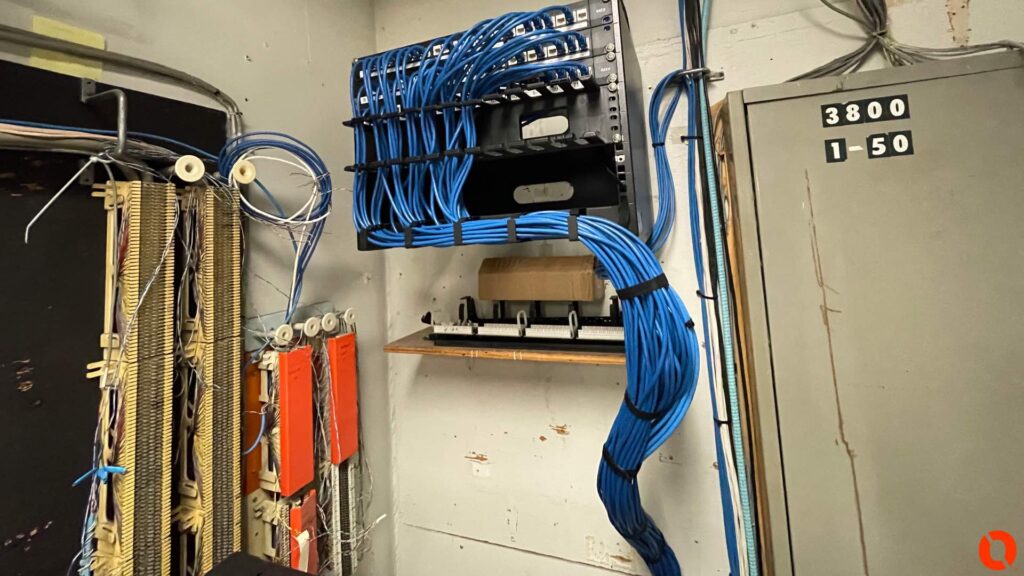
The $20 Cable That Can Take Down a $20,000 Network
August 15, 2026
The Telecom Closet Nobody Wants to Open
August 15, 2026
There’s an access point mounted in the middle of an office somewhere that deserves a raise. It was installed years ago when the company had twelve employees, a handful of laptops, a couple of wireless printers, and maybe a few people connecting their phones to Wi-Fi. Nobody has thought much about it since.
The company, however, didn’t stay the same. More employees arrived. Everyone started carrying a smartphone in addition to a laptop. Conference rooms got wireless displays. Tablets showed up. Printers went wireless. TVs went online. Maybe the warehouse added scanners or operations started using tablets in the field. Before long, an access point originally installed for a relatively small number of devices is serving dozens of them.
Nothing necessarily failed. The business simply grew around the network.
This happens more often than people realize because networks usually don’t become overloaded overnight. If somebody walked into the building tomorrow and connected 100 new devices, the relationship between the new devices and the resulting performance problems would be obvious. In reality, devices are added one or two at a time over several years. By the time employees start complaining about Wi-Fi, nobody remembers what the network was originally designed to support.
Coverage Is Only Half the Story
One of the biggest misconceptions about business Wi-Fi is that good coverage automatically means good Wi-Fi. You can walk into a conference room, see full signal bars on your laptop, and still have a terrible experience.
Coverage and capacity are two different things.
An access point might easily provide a strong signal throughout an empty conference room. Fill that room with thirty people and the situation changes. Now there could be thirty laptops, thirty smartphones, a wireless presentation system, and other connected devices sharing the wireless environment. The access point is still covering the room, but what you’re asking it to handle has changed dramatically.
The same principle applies throughout a commercial building. A hallway where people occasionally walk through has different requirements from a training room filled with laptops. An office with ten employees has different requirements from a cafeteria where a hundred people gather at lunch. Designing Wi-Fi strictly around square footage misses an important part of how wireless networks are actually used.
People don’t distribute themselves evenly throughout a building, and neither do their devices.
Warehouses Are Their Own Animal
Wireless design gets even more interesting once you leave the traditional office environment.
A warehouse can look like one enormous open space on a floor plan, but radio signals don’t see it that way. Steel racking, inventory, concrete, machinery, electrical equipment, high ceilings, loading areas, and the physical construction of the building can all influence wireless performance.
The environment can change over time too. An empty rack and a rack filled with product don’t necessarily behave the same way from an RF standpoint. Equipment gets moved. Inventory changes. New machinery gets installed. Operations begin using wireless devices in areas that weren’t important when the network was originally built.
Then there are the devices themselves. A warehouse may depend on handheld scanners, tablets, VoIP devices, laptops, cameras, or forklift-mounted equipment that moves throughout the facility. Reliable coverage becomes an operational requirement rather than a convenience.
This is why installing an access point wherever it’s easiest to pull a cable isn’t much of a wireless design strategy. The AP needs to be where it can actually serve the devices that depend on it.
More Access Points Can Create More Problems
When Wi-Fi starts struggling, one of the first reactions is to add another access point. Sometimes that’s exactly the right answer, but not always.
Wireless networks use shared radio spectrum. Access points have channels, power levels, coverage areas, and neighboring APs to contend with. Client devices also make their own decisions about which access point they want to use and when they should move to another one.
If APs are added every time somebody complains about Wi-Fi, a building can eventually have plenty of access points and still have a poorly performing wireless network. Too much overlapping coverage, poor channel planning, excessive transmit power, interference, or bad placement can create problems that weren’t there before.
That’s why counting access points isn’t enough. The question isn’t how many APs can be installed in the building. The question is how many are actually needed, where they should be located, and how they should be configured for the environment they’re serving.
Sometimes the answer is more access points. Sometimes it’s moving the ones already there. Sometimes it’s configuration. And sometimes the problem isn’t wireless at all.
Don’t Forget the Cable Above the Ceiling
For something called wireless networking, Wi-Fi still depends heavily on wires.
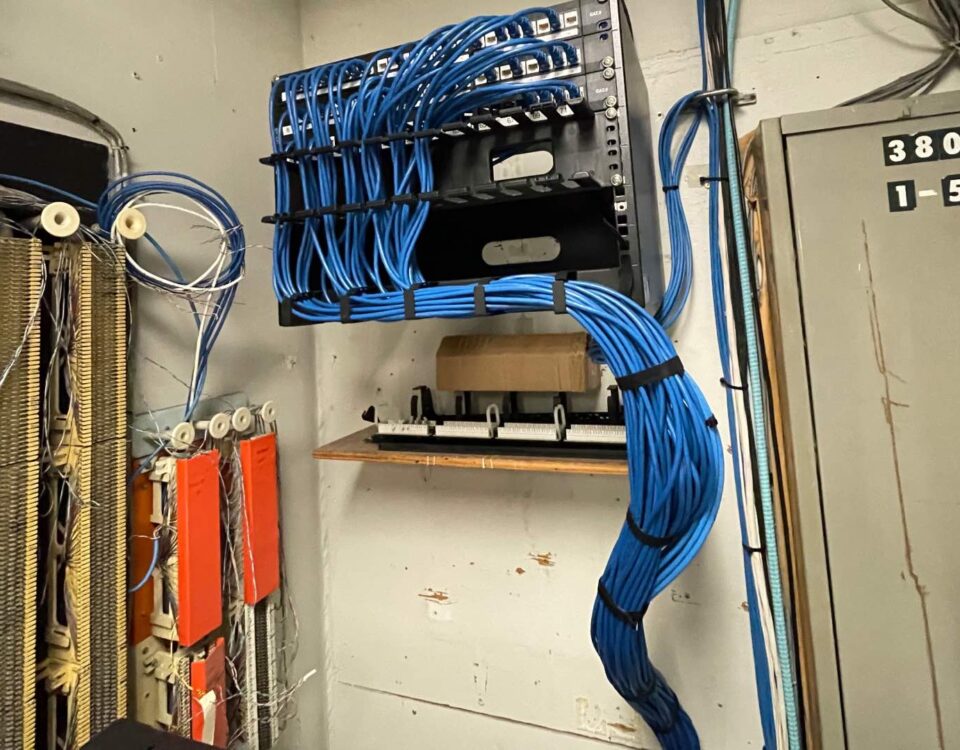
Every access point needs a connection back to the network. In most commercial installations, that means Ethernet cabling running from the AP through the ceiling and back to a patch panel and network switch. That connection carries network traffic and, in many cases, provides power through PoE.
This is where a Wi-Fi upgrade can expose other weaknesses in a network. A business may install newer access points capable of significantly better performance, but the cabling, switches, uplinks, or available PoE were designed for an earlier generation of equipment. The APs get replaced while everything feeding them remains untouched.
That doesn’t mean every Wi-Fi project requires replacing the network. It means the network should at least be considered as a complete system.
At Kommvia, this is one of the reasons we don’t separate Wi-Fi from structured cabling and network infrastructure. The access point hanging from the ceiling is only the part everyone sees. Its performance depends on everything between that AP and the rest of the network.
Your Access Point Might Not Be Broken
There’s something worth considering before blaming that old access point in the hallway. It may be doing exactly what it was designed to do.
The problem may be that the company asking it to do the job has completely changed.
Maybe the business had fifteen employees when the network was installed and now has sixty. Maybe almost every employee now carries two or three wireless devices. Maybe applications that once ran on wired desktop computers have moved to laptops and tablets. Maybe a warehouse operation has become dependent on scanners and mobile equipment. Maybe an area of the building that barely needed connectivity five years ago is now full of people.
Networks need to evolve along with the businesses using them.
When we look at a business Wi-Fi problem, we’d rather understand what’s happening before deciding what equipment needs to be purchased. How many devices are connecting? Where are they located? What are they doing? When do the problems occur? How is the building constructed? What is interfering with the signal? What cabling feeds the access points? What switches are behind them? Is sufficient PoE available? Are the APs actually positioned where the users are?
Those answers tell us much more than the number of white boxes mounted on the ceiling.
Business Wi-Fi has become one of those technologies people don’t think about until it doesn’t work. When it’s designed correctly, employees move around the building, devices connect, scanners work, meetings happen, and nobody talks about the wireless network at all. That’s exactly how it should be.
So if your business has doubled in size, added dozens of connected devices, expanded into another part of the building, and hasn’t touched its wireless infrastructure in years, don’t be too hard on that lonely access point in the hallway.
It might not be broken.
It might just be doing the work of three.
Kommvia Inc.
Kommvia provides business phone systems, structured cabling, Wi-Fi access points, and network infrastructure for commercial and industrial facilities throughout Indiana and the Chicago area.
1-844-KOMMVIA | COMMAND THE SIGNAL™
We’re here to help!!